Retargeting Campaign Guide
1. What is Retargeting Campaign?
Scenario 1 : User Re-engagement: To display ads to users that have target app in their devices, and redirect users to a certain page inside target app after users clicking ads. You could use retargeting campaign to engage users with different creatives and info, so as to attract users back to the app.
Scenario 2: User Re-attribution: To display ads to users who has installed the app but already uninstalled, and attract them to install the app again.
2. User Re-engagement
2.1 what you need to prepare
a. GAID/IDFA list(Not mandatory)
Clients would need to provide GAID/IDFA list of retargeting users. Lists* can be uploaded into ad account or share from Appsflyer to Bigoads through “Audiences” function.
If your client doesn’t provide GAID/IDFA list, then you could only broadly target users that with and without client’s app installed in their devices.
b. Deeplink (Mandatory)
With the help of the deeplink(for App A), after an user clicking on the ad, he/she would be redirected to the App A and land on a particular page per client’s setting.
Deeplinks should be scheme links developed by clients, or provided by MMP platforms(e.g. Appsflyer).
c. Tracking links(Recommended)
Recommend to use MMP(like Appsflyer) tracking links to track retargeting performance.
e.g. Appsflyer: AppsFlyer Retargeting Guide
2.2 Campaign Set-up Steps
a. Contact your AM to whitelist your ad account for deeplink authority.
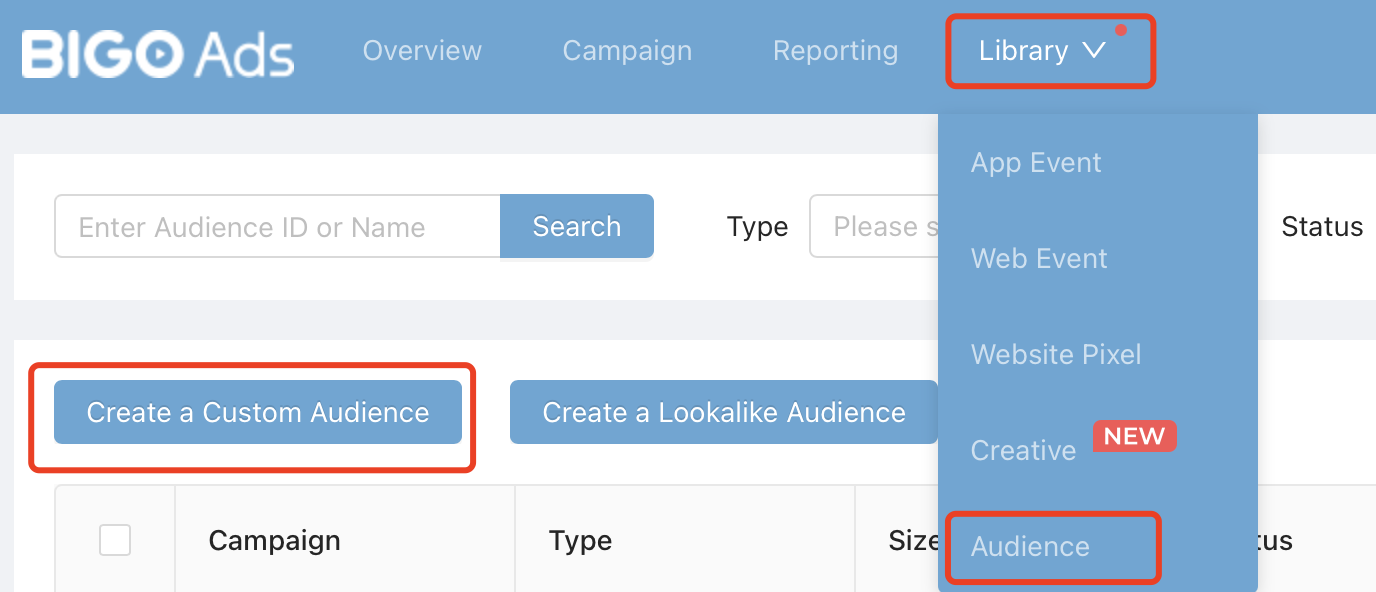
b. Upload GAID/IDFA List: Log in to you ad account and under [Library]-[Audience]-[Create a Custom Audience]-[Customer File].
c. Create your App event with or without MMP tracking links.
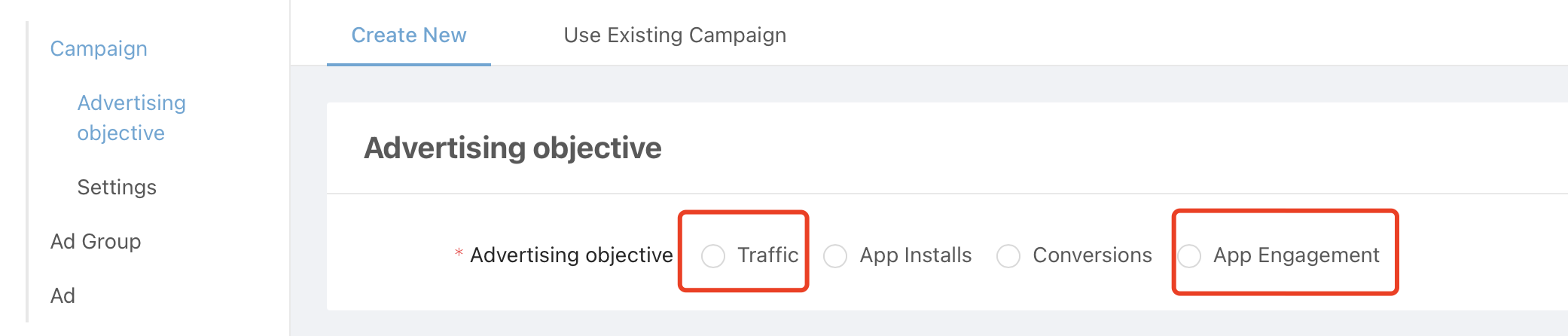
d. Create Campaign with Advertising objective as Traffic or App Engagement.
- Traffic: when you don’t have MMP tracking links set up in Step 3, then you should choose [Traffic], and only use CPC bidding mode.
- App Engagement: when you have MMP tracking links set up in Step 3 to postback conversions, then you could set [App Engagement] as objective and bid with oCPC mode.
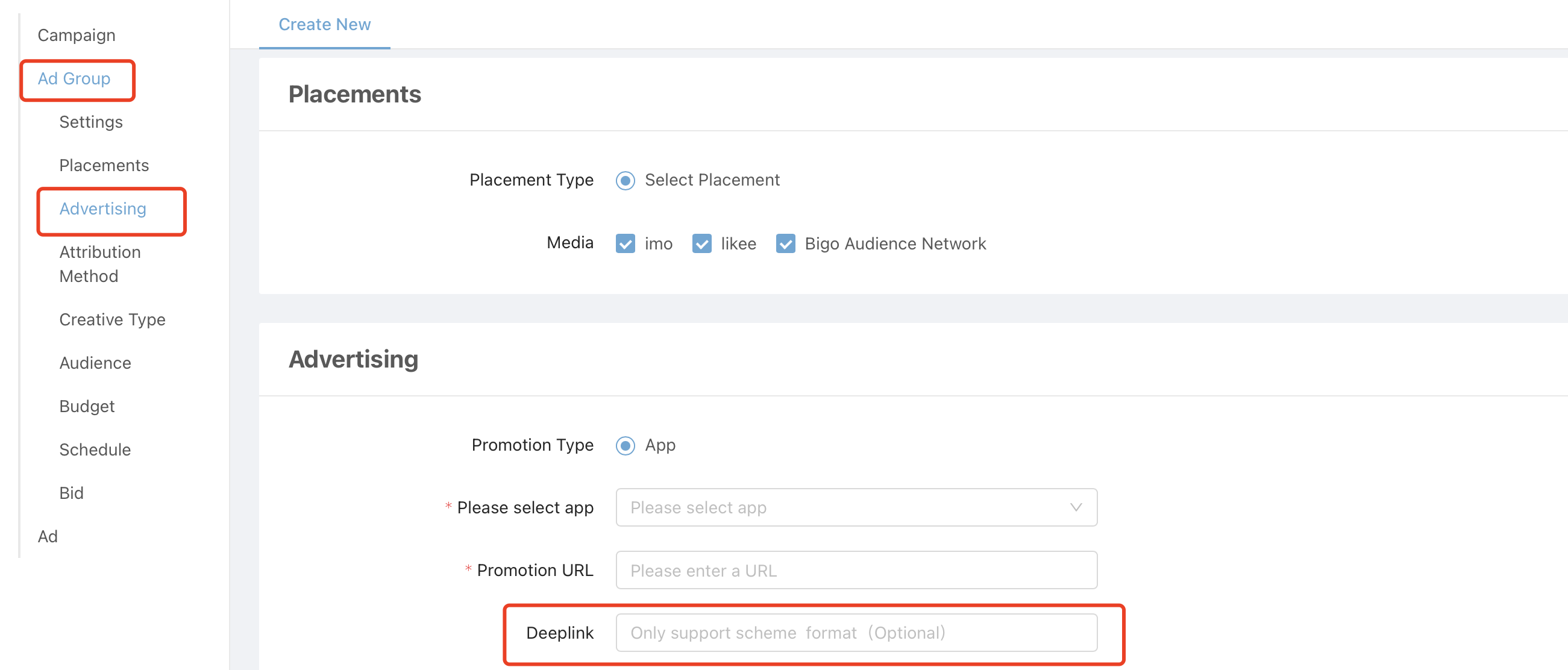
e. Create Ad group with promotion type as App, choose your app and fill in the deeplink.
f. Set your bidding for click or conversion, depending on your advertising objective.
3. User Re-attribution
2.1 what you need to prepare
a. GAID/IDFA list(Not mandatory)
Clients would need to provide GAID/IDFA list of retargeting users. Lists* can be uploaded into ad account or share from Appsflyer to Bigoads through “Audiences”function.
If your client doesn’t provide GAID/IDFA list, then you could only broadly target users that with and without client’s app installed in their devices.
b. MMP tracking links with retargeting enabled(Mandatory)
MMP tracking links are mandatory.
Only with it you could track installation from new users or uninstalled users, and in-app events after installation.
Take Appsflyer and Adjust as examples:
Appsflyer: AppsFlyer Retargeting Guide
Adjust: Adjust Retargeting Guide
2.2 Campaign Set-up Steps
a. Upload GAID/IDFA List: Log in to you ad account and under [Library]-[Audience]-[Create a Custom Audience]-[Customer File].
b. Create your App event, fill in MMP tracking links with Retargeting enabled.
c. Create Campaign with Advertising objective as [App Installs].
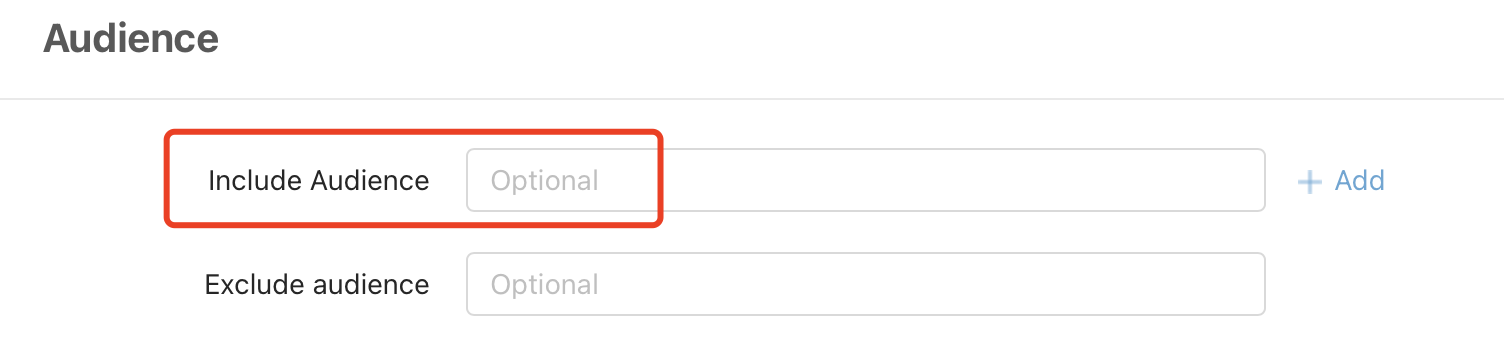
d. Choose to target your GAID/IDFA list at Ad group level.
e. Choose Install as optimization goal and bid with your expected cost per install.