Bigo Ads Agency Portal
1. Introduction
The Agency Portal is a business management tool provided by Bigo Ads to agencies. Agencies can manage business centers, ad accounts, balance, and members with this tool. If you are an agency and you need an Agency Portal, please contact your BIGO Ads sales manager or Account manager.
2. Functions
2.1 Create Business Center
2.2 Charge for Business Center
2.3 Manage Users
2.4 Business Center & Ad Account Reporting and Finance Management
3. Operation Guide
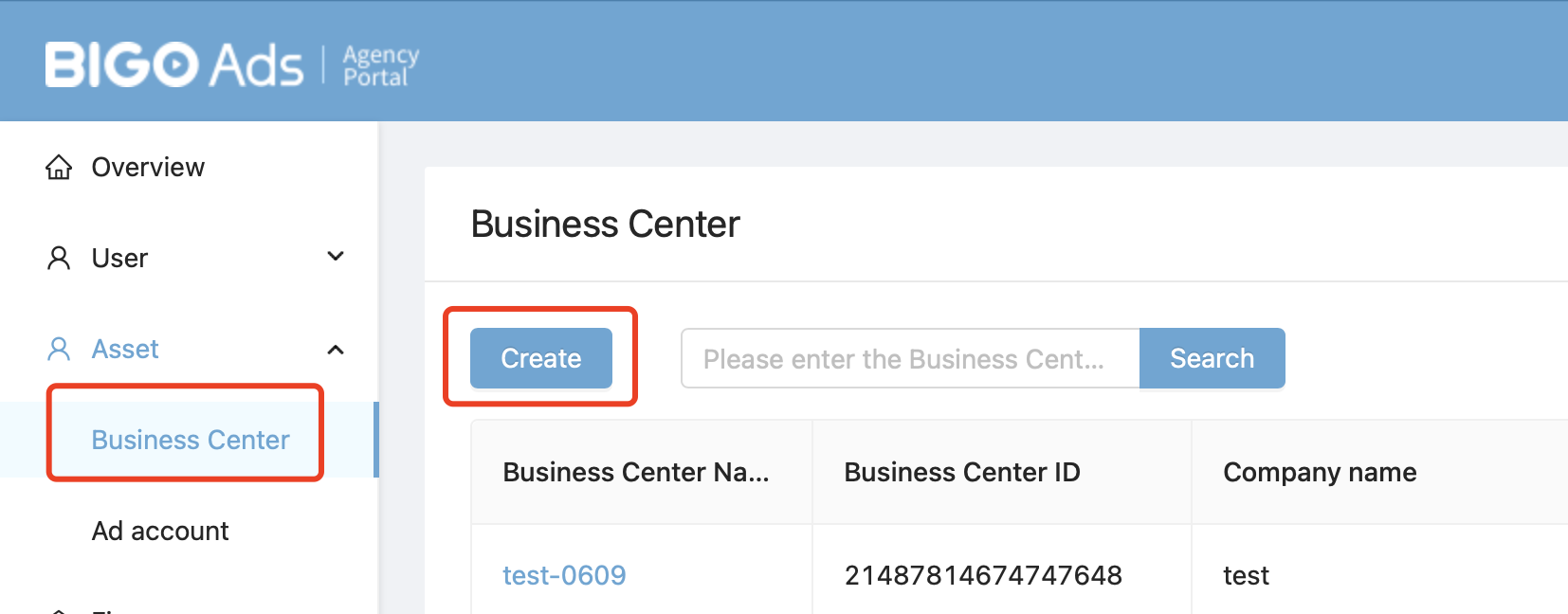
3.1 Create a Business Center
Visit Agency Portal: Agency Portal
Path: Asset - Business Center - fill in informantion.
Note: Agencies can only manage business centers created in their own Agency Portal.
3.2 Charge for Business Center
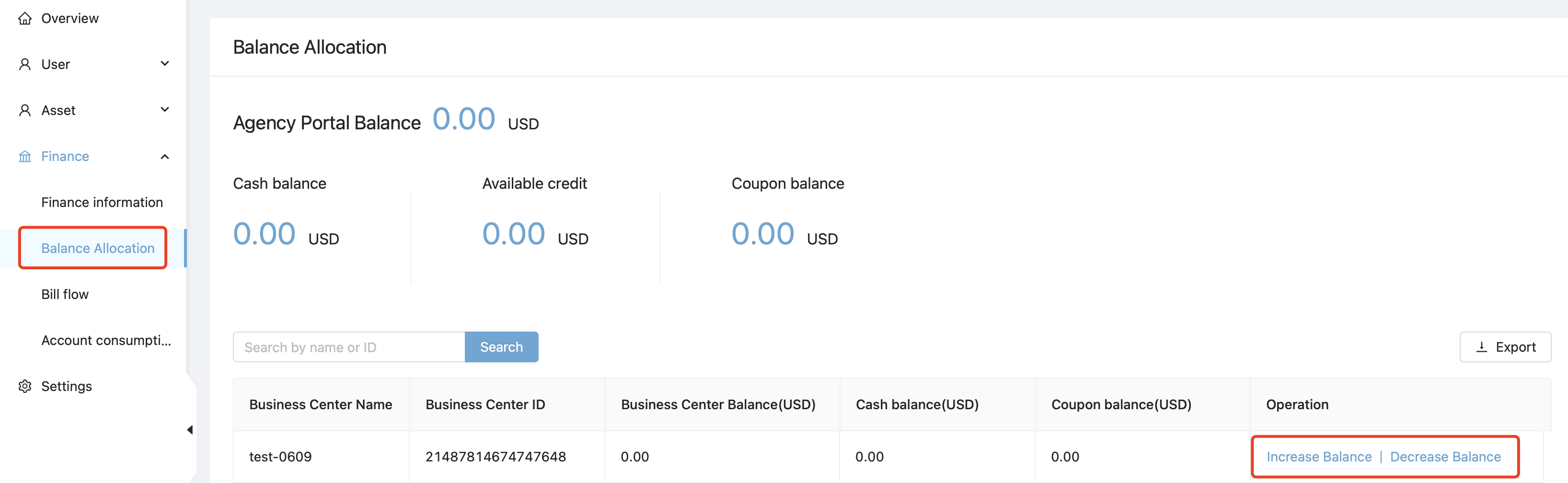
Path: Finance - Balance Allocation - Increase Balance/Decrease Balance.
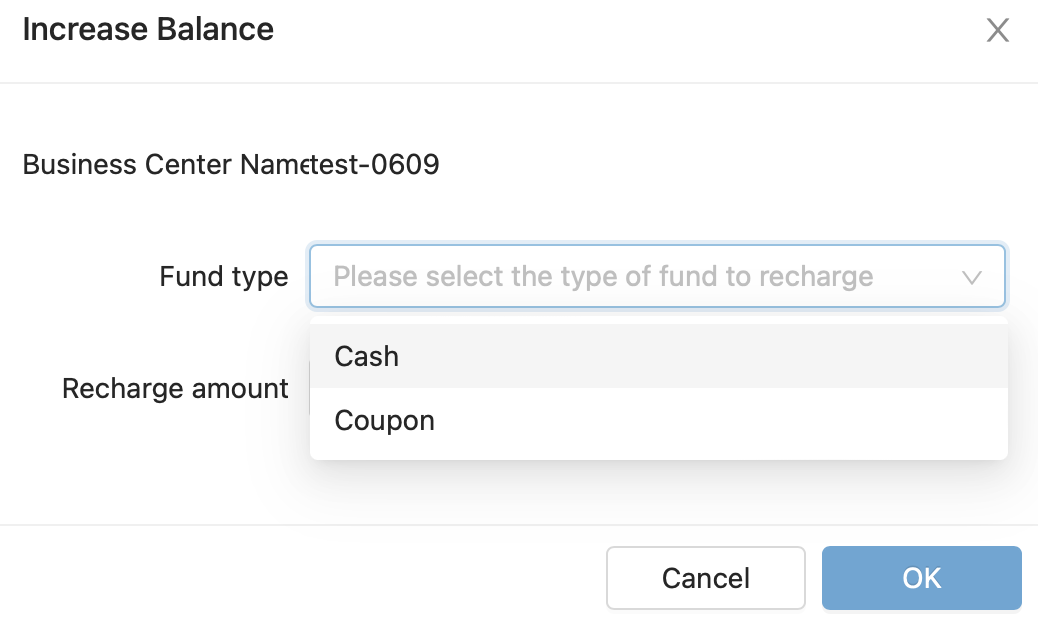
Fund type can be cash and coupon.
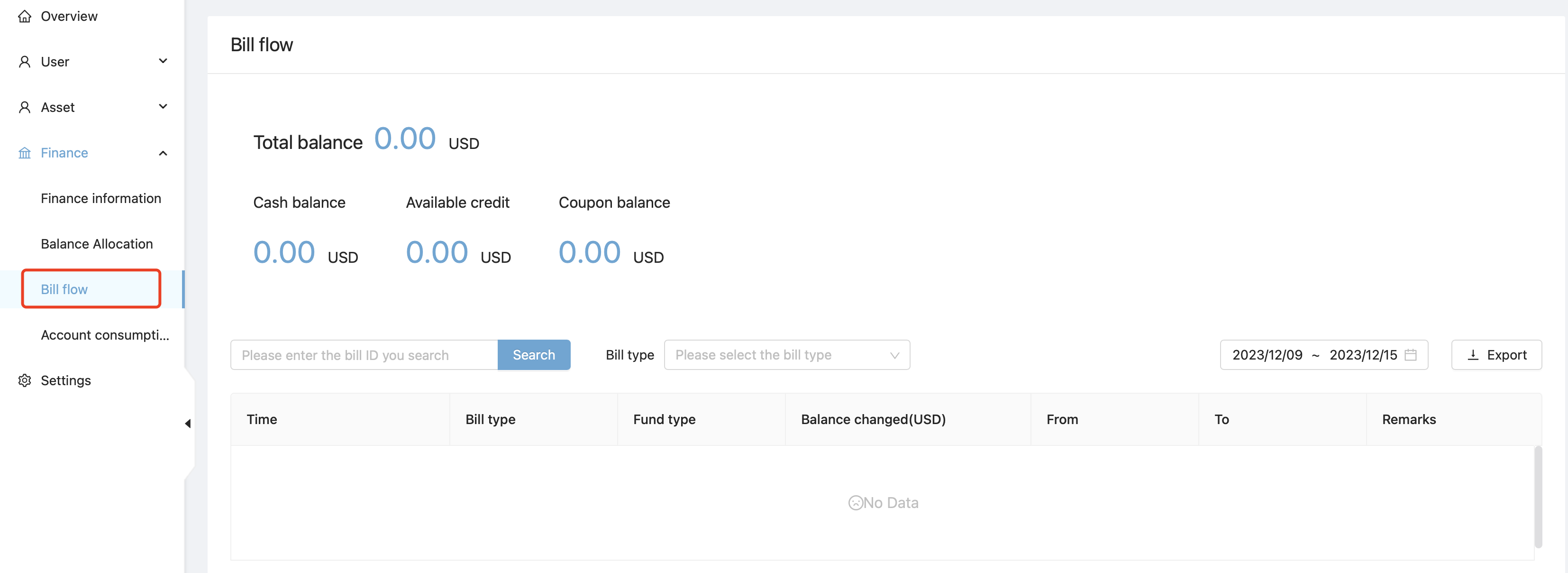
In Bill Flow section, you can check your balance and operation record.
3.3 Manage Users
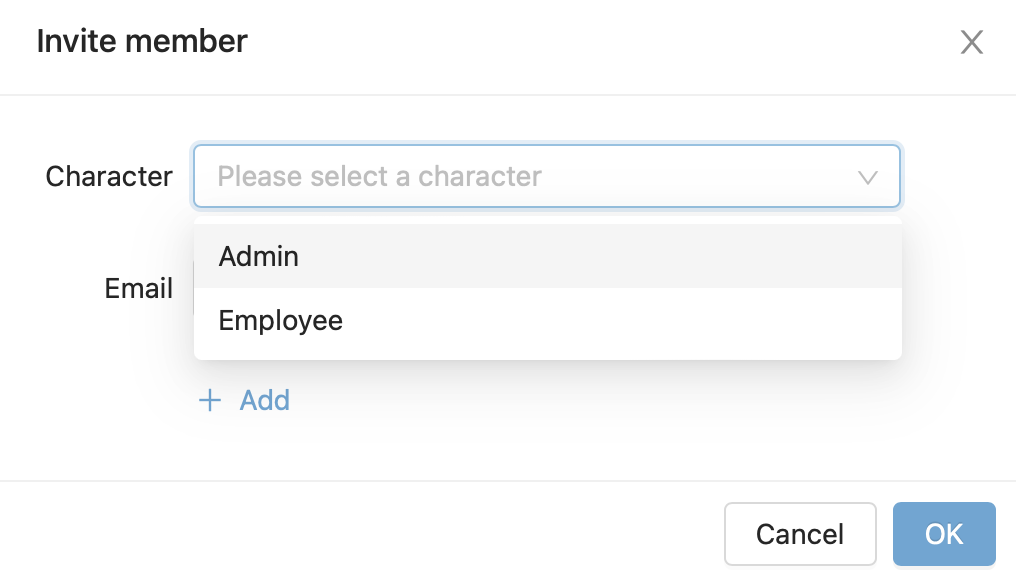
Path: User - Member - Invite Member - Allocate Business Center.

A mail will be sent to invited members. By confirming the mail, members will be authorized to business center.
Character:
- Admin: Full authority to business centers, including adding or deleting members and authorities. Admins can edit and manage all members and assets.
- Employee: Can only visit informantion of business center, no authority to edit. Can only manage certain ad accounts which are authorized.
3.4 Reporting
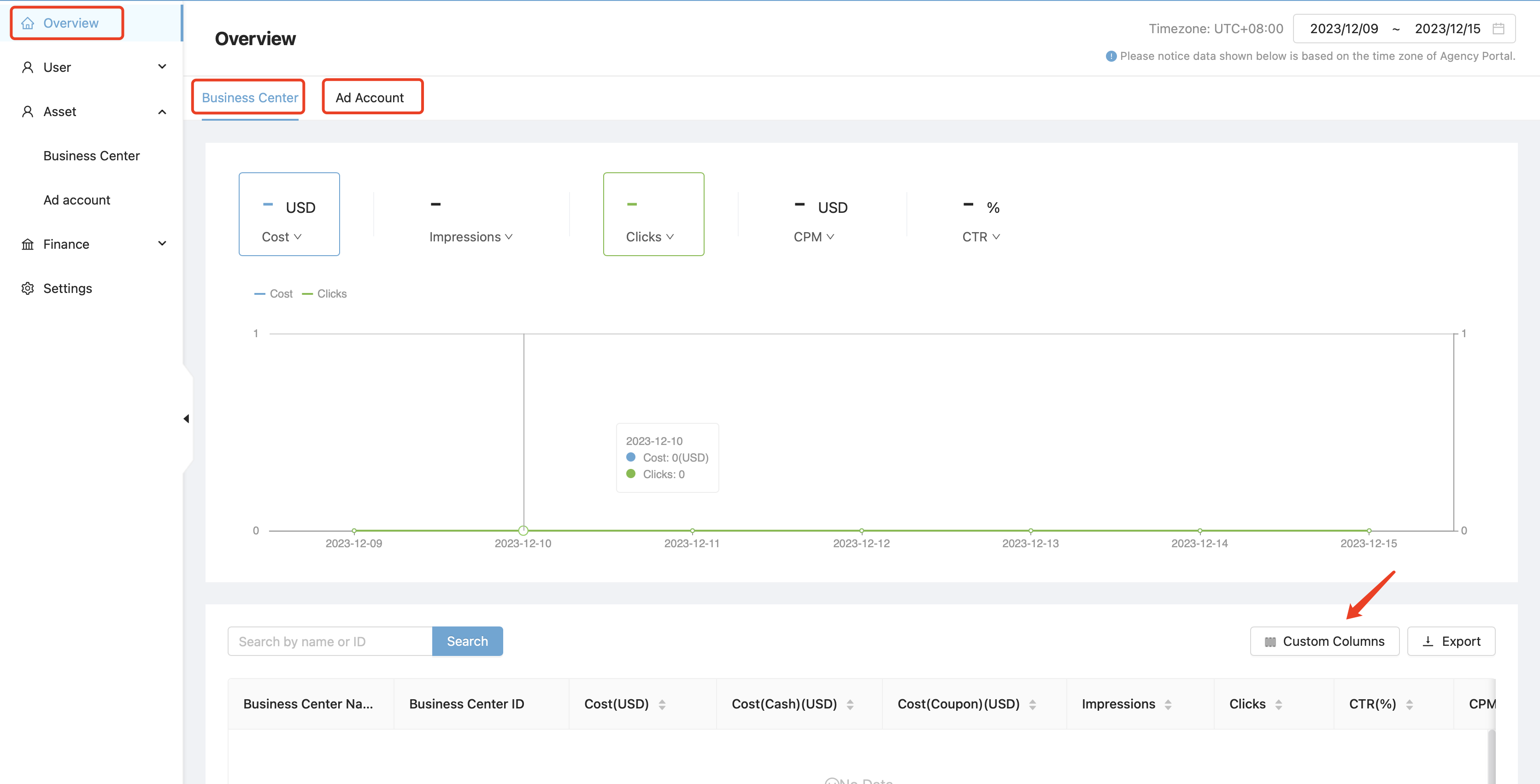
In the front page, you can check your spend trend by day and detailed advertising data in several dimensions.
3.5 Ad Account Balance & Spend
Path: Asset - Ad Account - Check Total Balance & Ad Spending.