Operation Guidance for APK Download Campaign
1. Notes
1.1 A landing page and APK Whitelist are mandatory for campaign setting up, please contact your Bigo AM for authority.
1.2 Highly recommend to use MMP (Adjust/Appsflyer/Branch/Singular/Kochava) or S2S integration to post back conversion(activation) to BIGOAds. By doing so, you could use oCPC to optimize per conversions.
1.3 If no MMP or S2S tracking, using Pixel (provided by BIGOAds) to track landing page button click will enable you to optimize per button click by oCPC.
1.4 Without conversion tracking(from MMP/S2S) or button click tracking(from Pixel), you could only run by CPC mode.
2. Integration Process (If you use MMP/S2S tracking urls or don’t use any tracking)
2.1 [Important] Contact with your sales manager or AM to open APK whitelist.
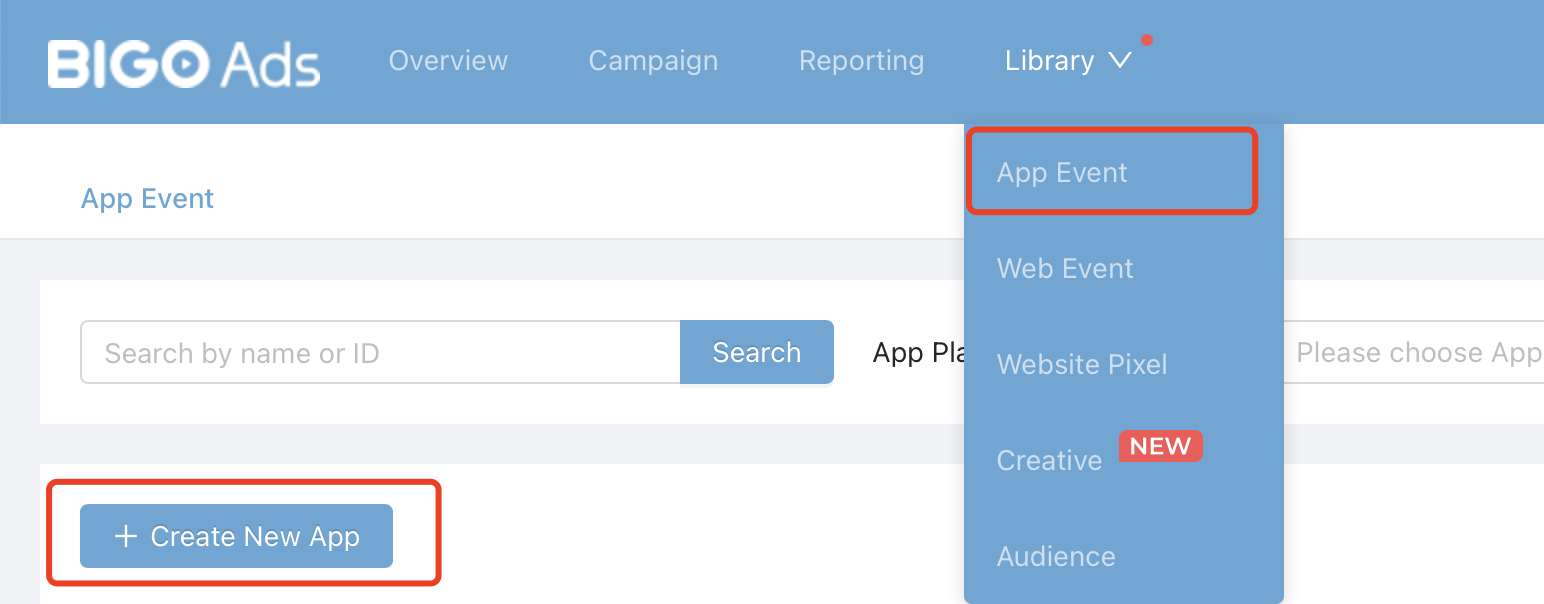
2.2 Create app event
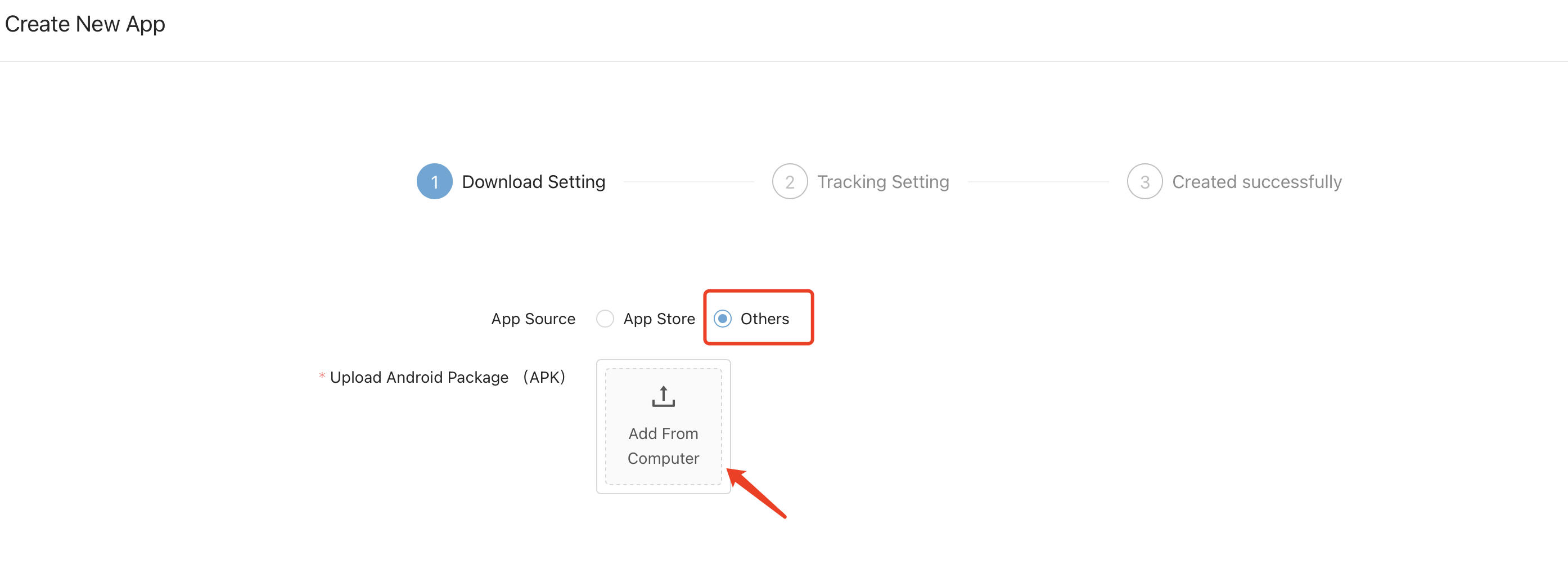
Path: Library->App Event->Create New APP-> Choose others for app source->Upload the apk package->Fill in basic information.
2.3 App Tracking setting
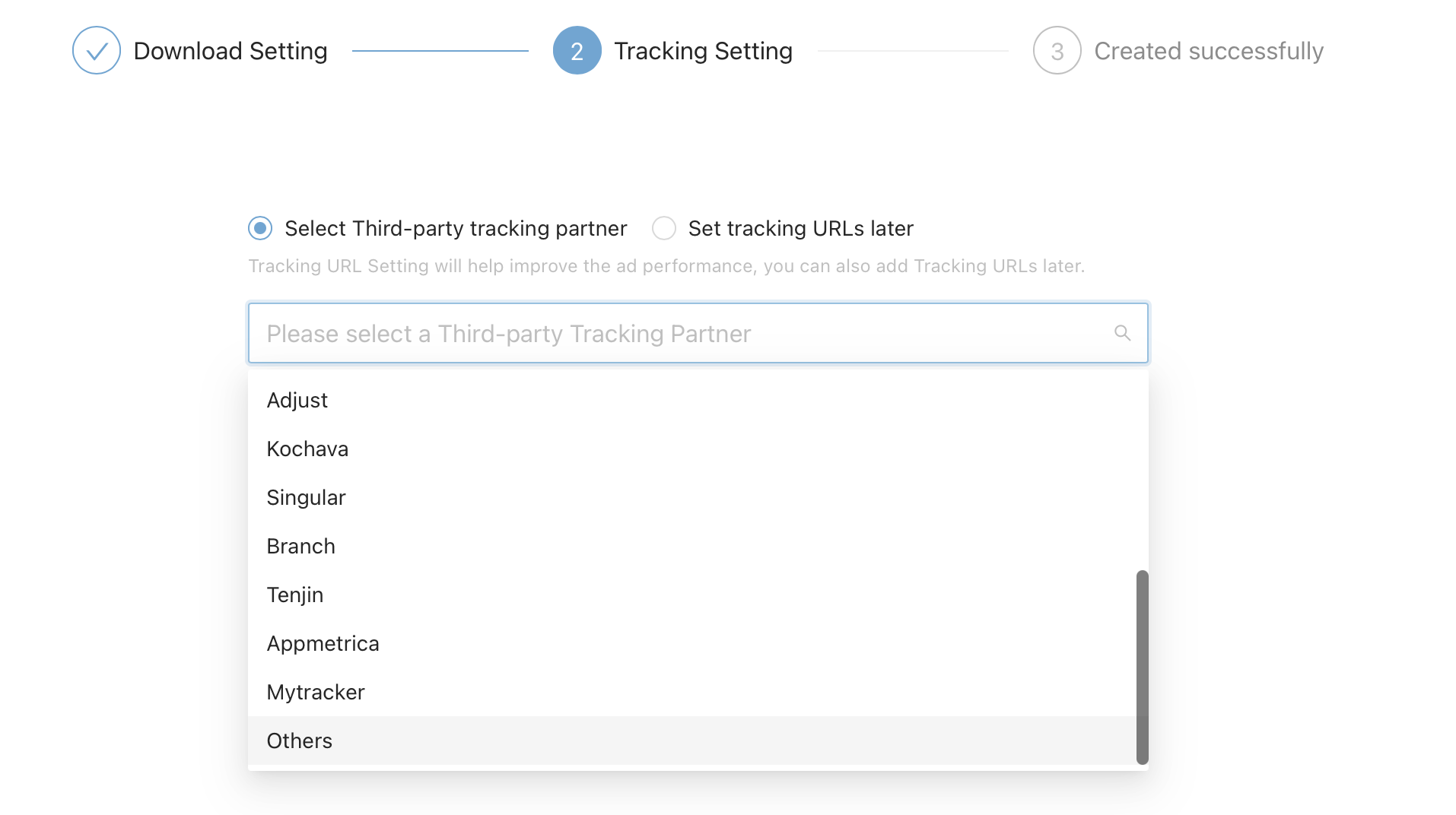
2.3.1 For MMP(Adjust/Appslfyer/Kochava/Branch/Singular) tracking:
Choose your tracking platform per needs under third-party tracking partner->Set click url and impression url.
2.3.2 For S2S tracking:
Choose “Others” -> Fill in your S2S click tracking url.
2.3.3 For no tracking methods:
Choose “Set tracking urls later”
2.4 Create your ads
2.4.1 Choose “App Installs” as advertising objective for Campaign.

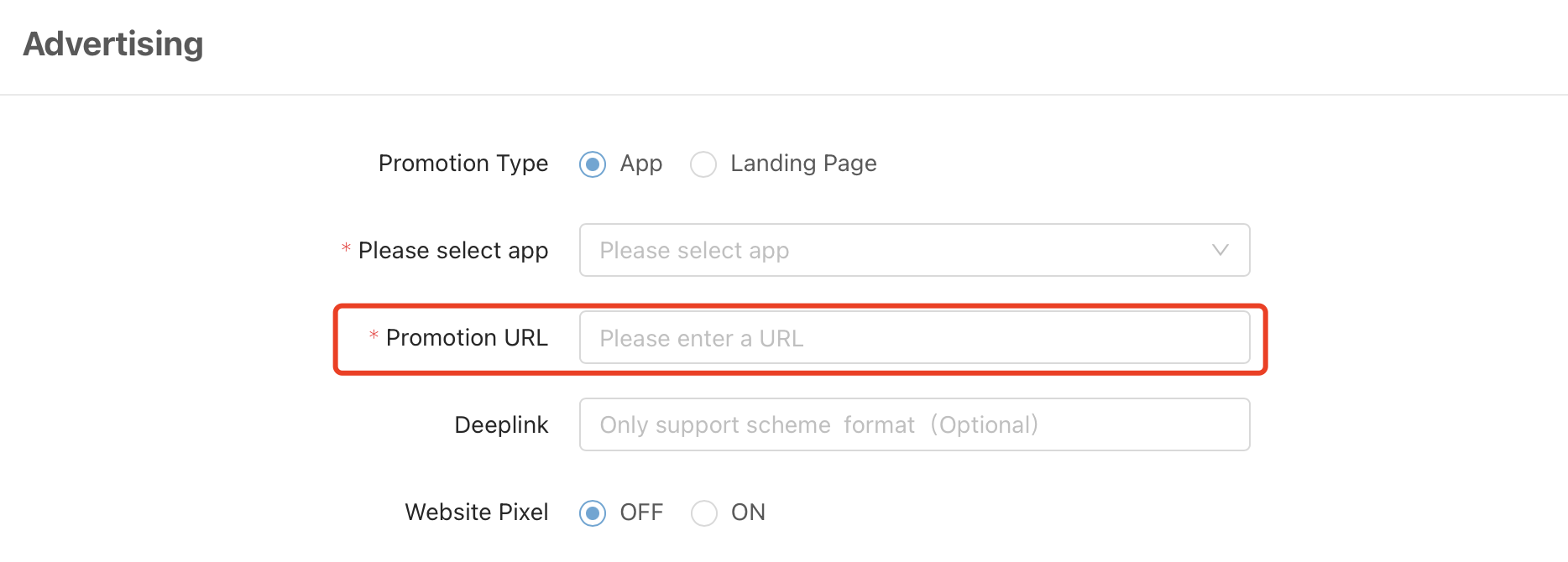
2.4.2 Choose your App at Ad group and fill in with your landing page.
2.4.3 For MMP/S2S tracking, choose “Optimize Conversions at learning Phase” at Ad group level;
For no tracking campaigns, choose Optimization goal as “Click” and bid with CPC.
3. Integration Process (If you use Pixel tracking)
3.1 [Important] Contact with your sales manager or AM to open APK whitelist.
3.2 Implement Pixel with download button click event post back.
Pixel Setup Guide: Pixel Integration Process
3.3 Create your ads
3.3.1 Create campaign, and choose “Conversion” as your objective.

3.3.2 In ad group, fill in your landing page, choose the pixel and conversion goal.
3.3.3 In ad group, choose “Conversion” as your optimization goal, and set your bid for each conversion.